Workflow

AixBOMS Workflow Engine, Care Processes and Cross-Tool Processes

The most important features of the AixBOMS system are the depth, completeness, and comprehensiveness of the solution (data structure), as well as the currency and validity of the stored data, and the mapping of the complete lifecycle of configuration data.

Since not all IT inventory data can be automatically inventoried, customised maintenance processes (across various tools) must be implemented to ensure currency and completeness.


We distinguish the following Care process types:

  • Technical Interfaces (Data Import)
  • Ad hoc execution (the user triggers a data change on the interface)
  • Wizards (Assistants for changing complex contexts through a user)
  • Graphics Editors (Data modification through graphical/semigraphical interaction)
  • Processes (Execution of change processes across multiple users)

Should automated data maintenance not be feasible in certain areas, analyses and customer surveys have shown that AixBOMS users prefer the following processing variants:

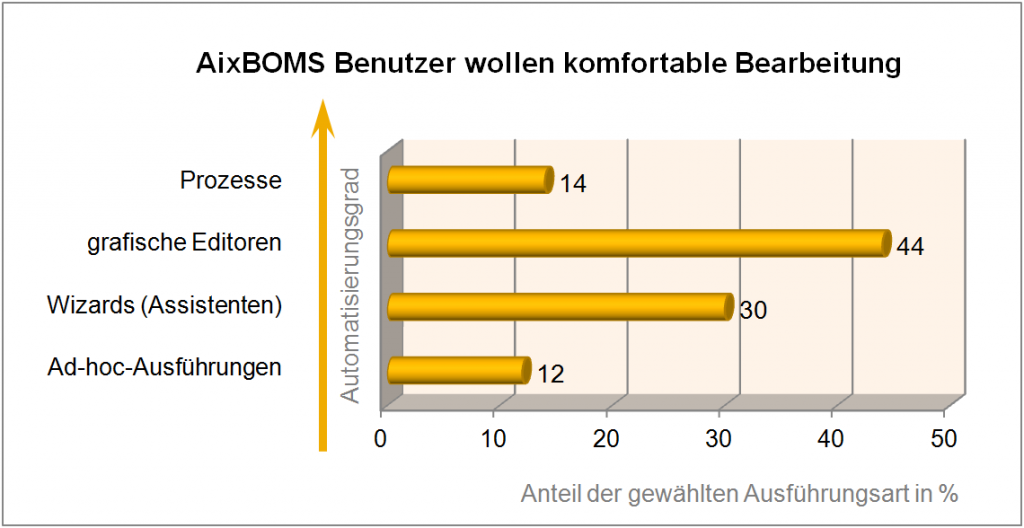
AixBOMS Workflow: Preferred Types of Operation


The special thing about AixBOMS is the integration of a graphical interface and process.

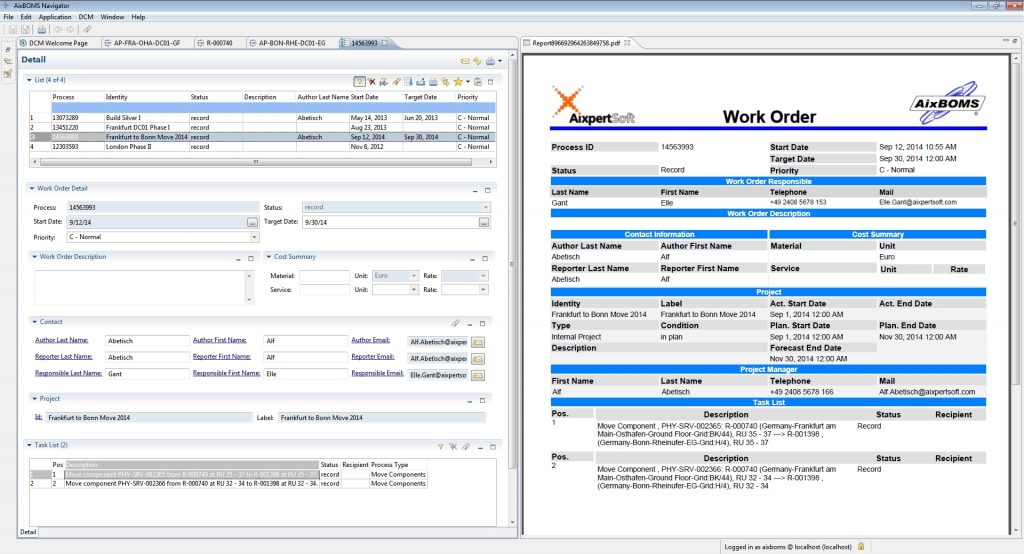
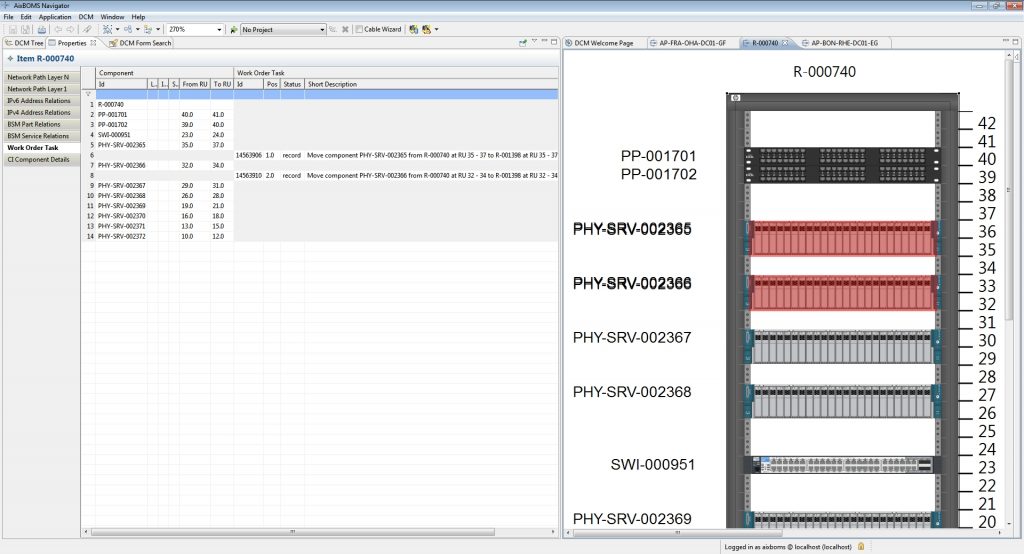
For many common IMAC/D tasks, process definitions are already included in AixBOMS, which create work orders and tasks almost unnoticed during graphical editing, and which you can then process (or have processed) via menus. You only need the AixBOMS Workflow Designer if you require further automations or special intermediate steps that are not included in the standard IMAC/D process.


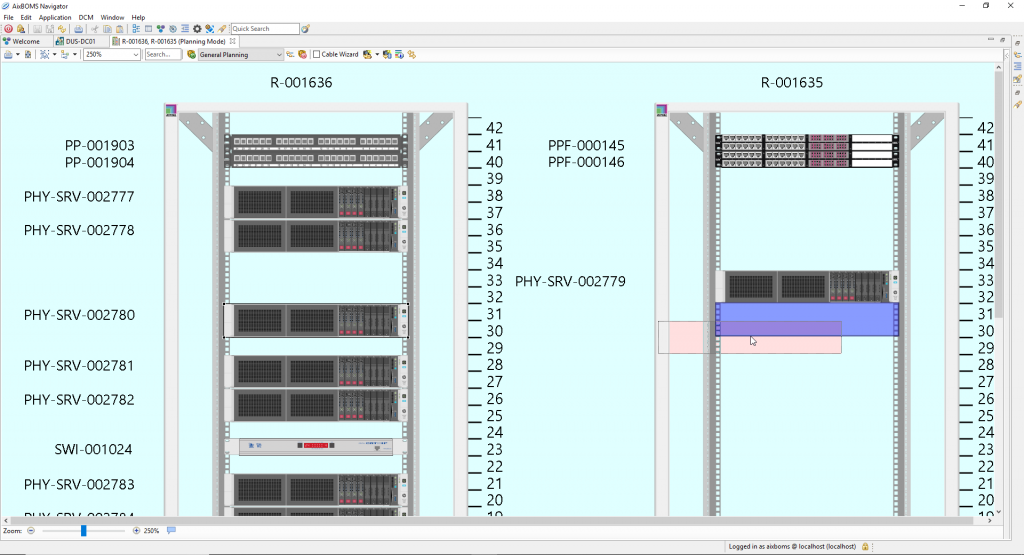
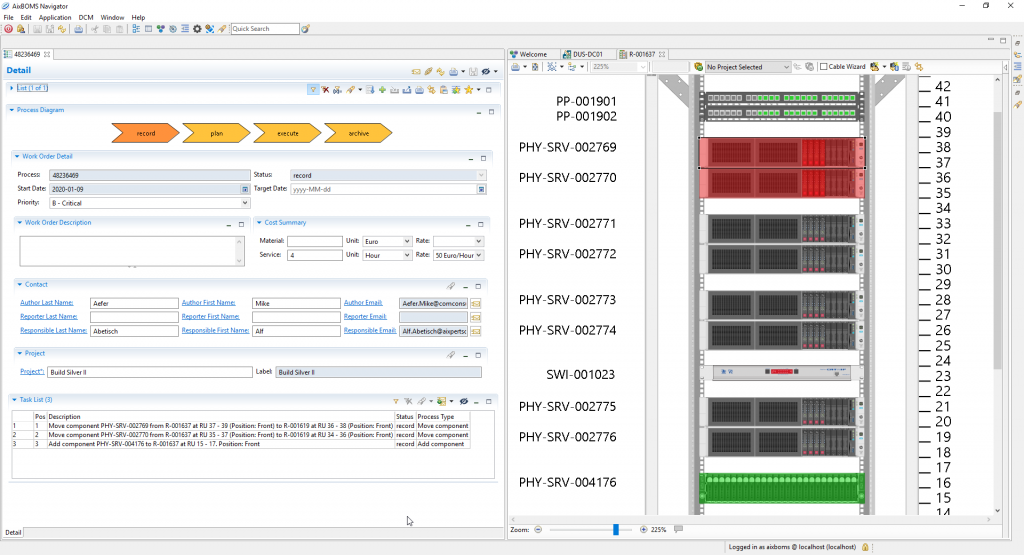
Example relocation of rack components (hardware servers)


This operation is set up using drag-and-drop in the RackView Editor. The coloured background and the coloured slots indicate that the system is in planning mode. Corresponding tasks are automatically generated for each device and entered together in a single process within order management. There, a processor can view the entire order or individual tasks, along with all the information required for their execution, and forward them to staff. With the help of the Workflow Designer, it is also possible, for example, to set up automatic allocation whilst taking into account holiday and counter-signature policies. Staff can also receive their work orders in a formatted PDF format.


Grafische Bearbeitung und prozessuale Umsetzung, dafür steht AixBOMS Workflow.


Highlights


  • Integration of graphical user operations into editors and processes
  • AixBOMS Workflow Engine as process control
  • Extensions via the AixBOMS Workflow Designer
  • Processing of subtasks in other systems or vice versa