AixBOMS Workflow Management
Workflows in graphical editors make us unique!
Working with AixBOMS varies greatly from user to user. This largely depends on the respective area of responsibility and the associated rights in AixBOMS.
AixBOMS users want comfortable processing.
Nevertheless, users who regularly employ AixBOMS for their day-to-day tasks can be observed to make extensive use of the operationally optimised assistants and editors. The feedback we receive from them strengthens our motivation to support typical yet complex task areas with powerful tools. The ongoing automation has already led to noticeable error avoidance and more performant processing of time-consuming (bulk) actions in many areas.
Ad hoc execution
- Elementary GUI and CLI operations
Wizards
- Sequence of elementary GUI and CLI operations with conditional execution (e.g. plausibility checks or depending on user input in templates) for IMAC/D tasks such as creation, relocation, modification, connection, decommissioning, …
Graphic Editors
- like Wizards (Assistants) but GMF-based
- Graphical operations are mapped 1:1 to database operations and vice versa (!)
- Graphics and database content are real-time compatible
- These same plausibility checks are also applied to the graphical operations.
- Drag & Drop, multi-window and multi-screen technology are supported
- Displaying complex relationships and analyses with editing functions for typical tasks within the respective management context, such as floor and level plans, impact analysis, rack views, and connectivity and port editors, …
Processes
- Sequence of operations of all execution types with timing control and event handling for partially and fully automatic execution of recurring complex work steps
- The processes are defined via the AixBOMS Workflow Designer
- Reusing processes and components as templates for new definitions
- Execution is carried out via the workflow engine in the AixBOMS server core
- Workflow Engine optimises the execution of parallel processes
- Processes can be integrated into all AixBOMS management disciplines
- Taking into account the AixBOMS rights and rules during process execution.
- Integration of the AixBOMS Notification Engine and AixBOMS Escalation Engine (initiates event handling, e.g., in case of SLA non-compliance)
AixBOMS can do even more: Workflows in graphical editors make us unique!
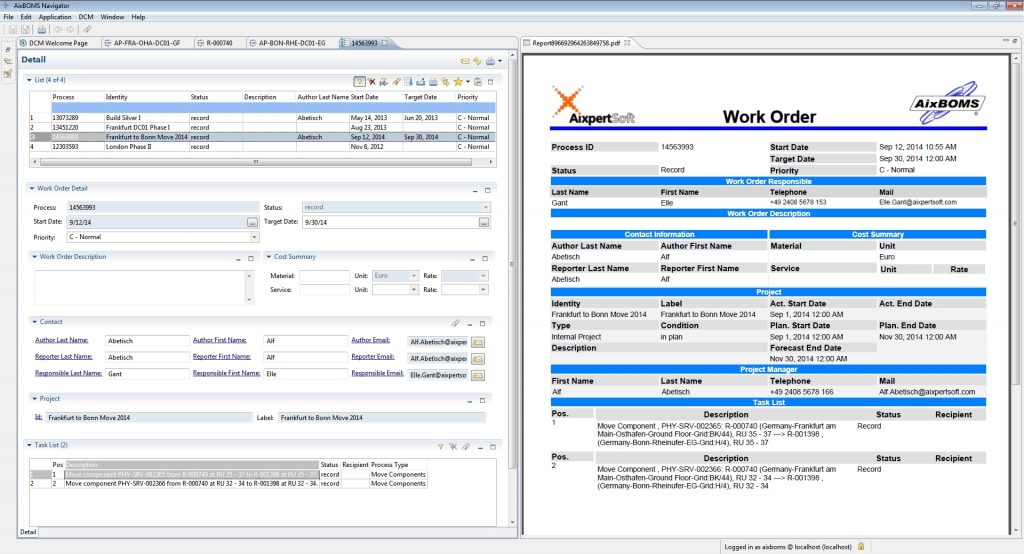
User-friendly graphics on the one hand – automated processing on the other, and AixBOMS is in between! Process definitions are already included in AixBOMS for many common IMAC/D tasks, which generate work orders and tasks almost unnoticed during graphical processing, which you can then process (or have processed) via menus. You only need the AixBOMS Workflow Designer if you require further automatisation or special intermediate steps that are not included in the standard IMAC/D process.
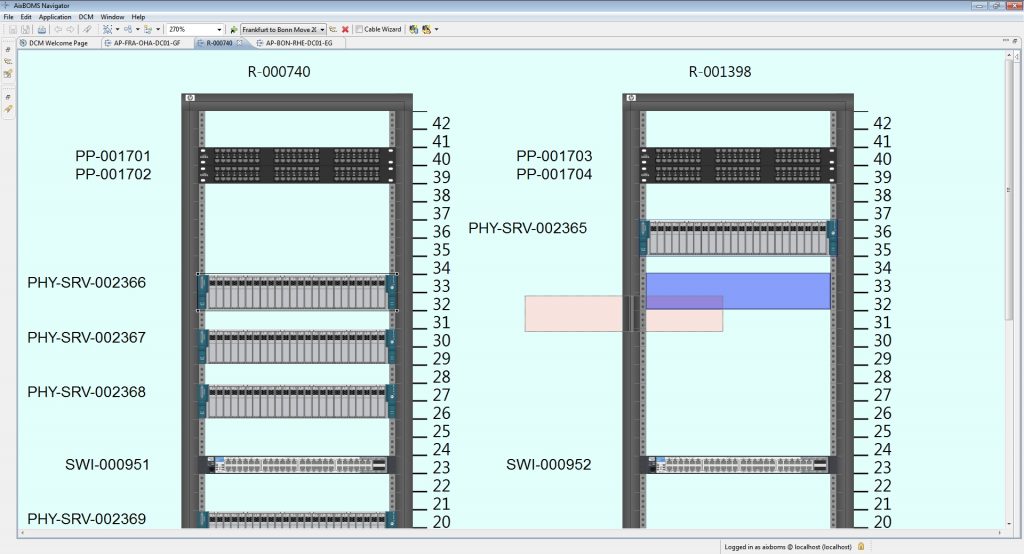
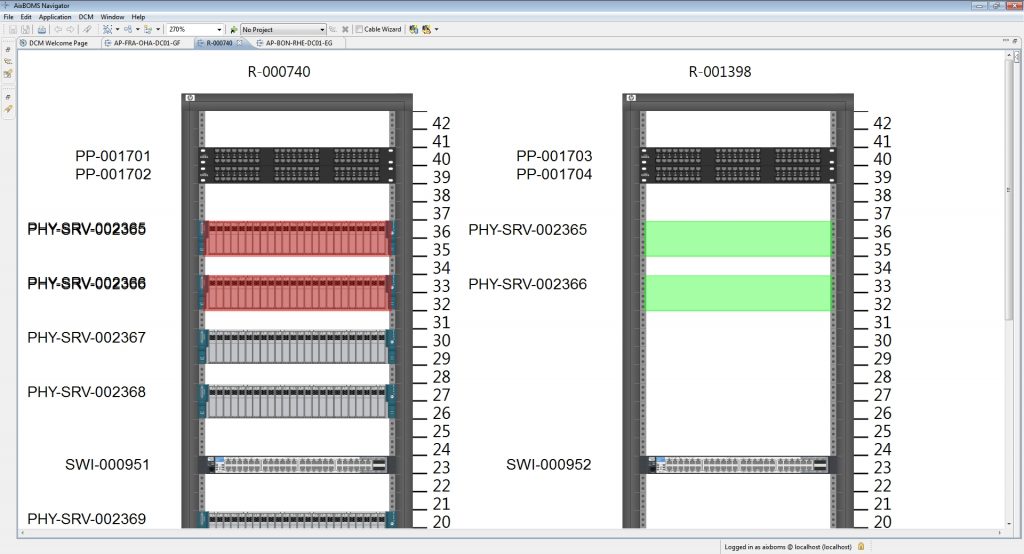
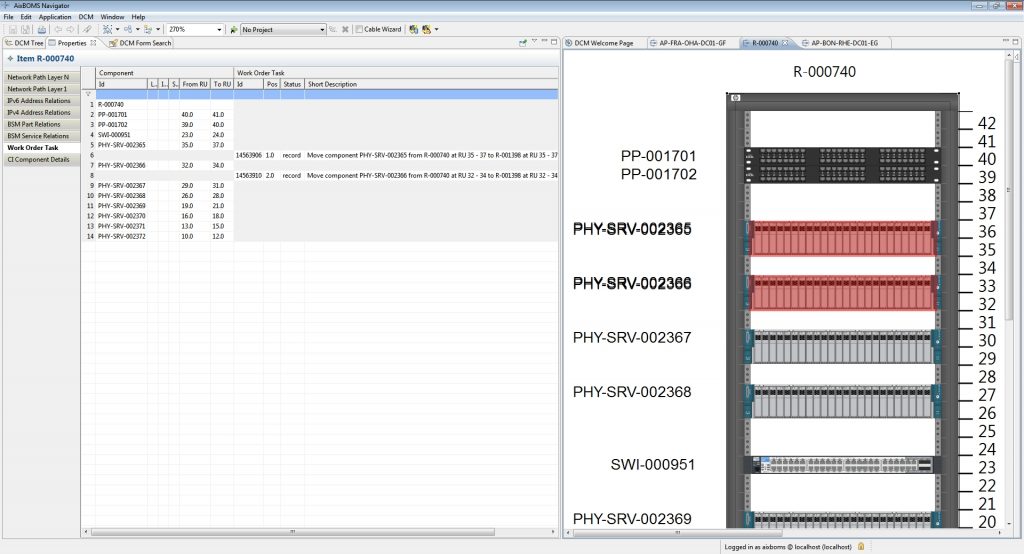
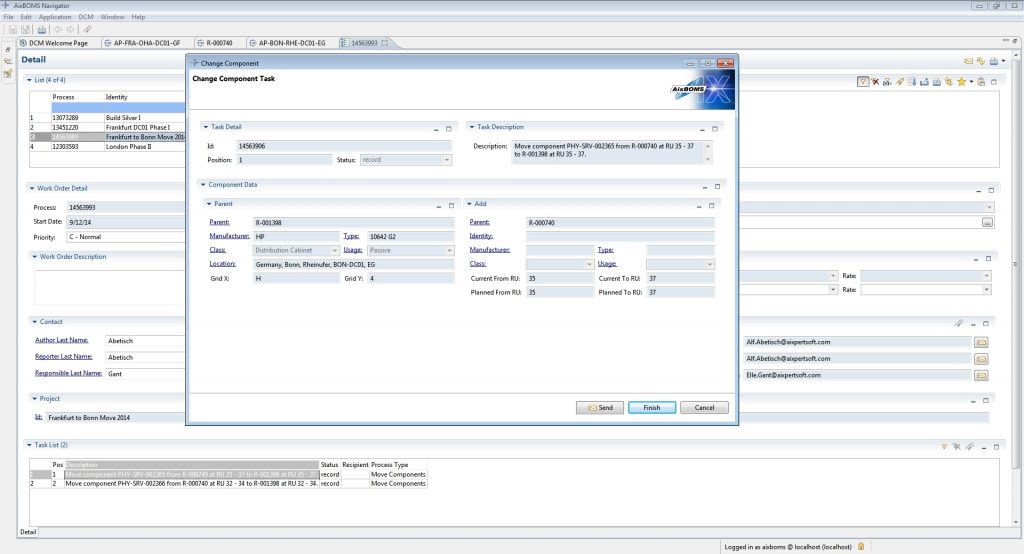
The screenshots show the relocation of two rack components (servers). This operation is prepared in the RackView Editor via drag and drop. The coloured background (1) and the coloured bays (2) indicate planning mode. Corresponding tasks are automatically generated per device (3) and entered together in a process (4, 5) in order management. Here, an operator can view the entire order or individual tasks with all the necessary information for their execution and forward them to employees. Using the Workflow Designer, for example, automatic assignment is possible, taking into account holiday and counter-signing regulations. Employees can also receive their work orders in a prepared format as a PDF (5).